How can we help you?
Find answers to common questions or get in touch with us
Frequently Asked Questions
Celebrations helps you create simple invites for your events, with RSVPs and gift and contributions coordination. Share a link, and your guests can respond and reserve items instantly. No app download or signup required.
No! Guests can view your invite, RSVP, and reserve gifts without creating an account or downloading an app. They just provide their name. If grandma can't use it, we failed.
Birthdays, baby showers, kids' parties, milestone celebrations, family gatherings, church events, potlucks, housewarmings, graduations, and more. Any occasion where you want invites, RSVPs, and gift and contributions coordination in one place.
Yes. A free invite shows full details for 15 replies, never turns a guest away, and has a gift list of up to 9 gifts, with every template, colour and font. No ads, no hidden fees, no per-guest charges.
Upgrade that invite to Plus. One payment of €6.95, VAT included, shows full details for 150 replies and makes room for 50 gifts. It is not a subscription, and you can upgrade at any time before the event.
Add gift ideas or contribution requests to your invite. Guests can reserve items to avoid duplicates, and you can organize them into categories. It's perfect for baby showers, birthday wishlists, or potluck coordination.
You can add gifts in two places, before or after the invite is published: in the editor while you create or edit the invite, or from your dashboard afterwards. New items appear for your guests right away. The gift list on a free invite takes up to 9 gifts.
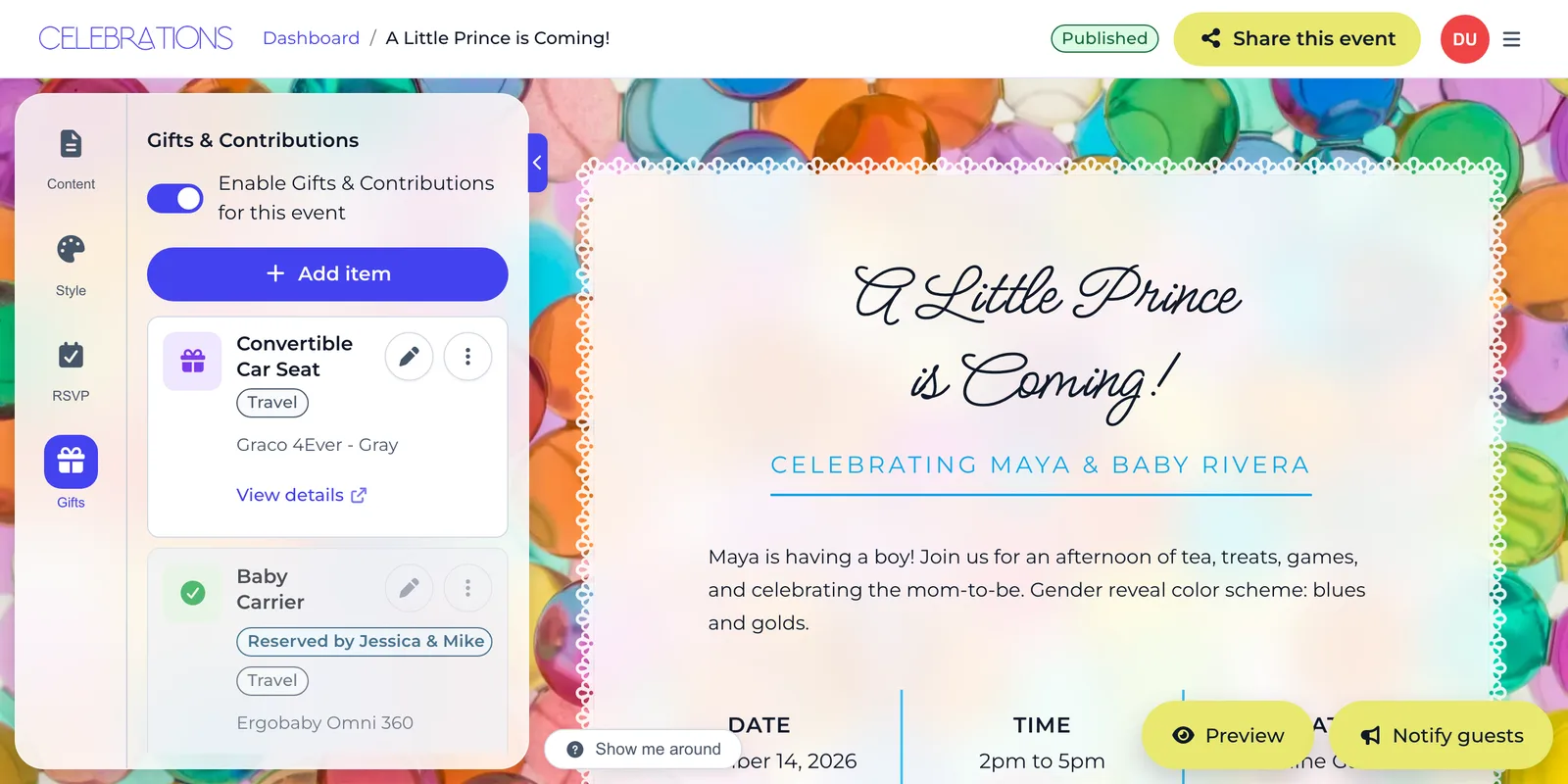
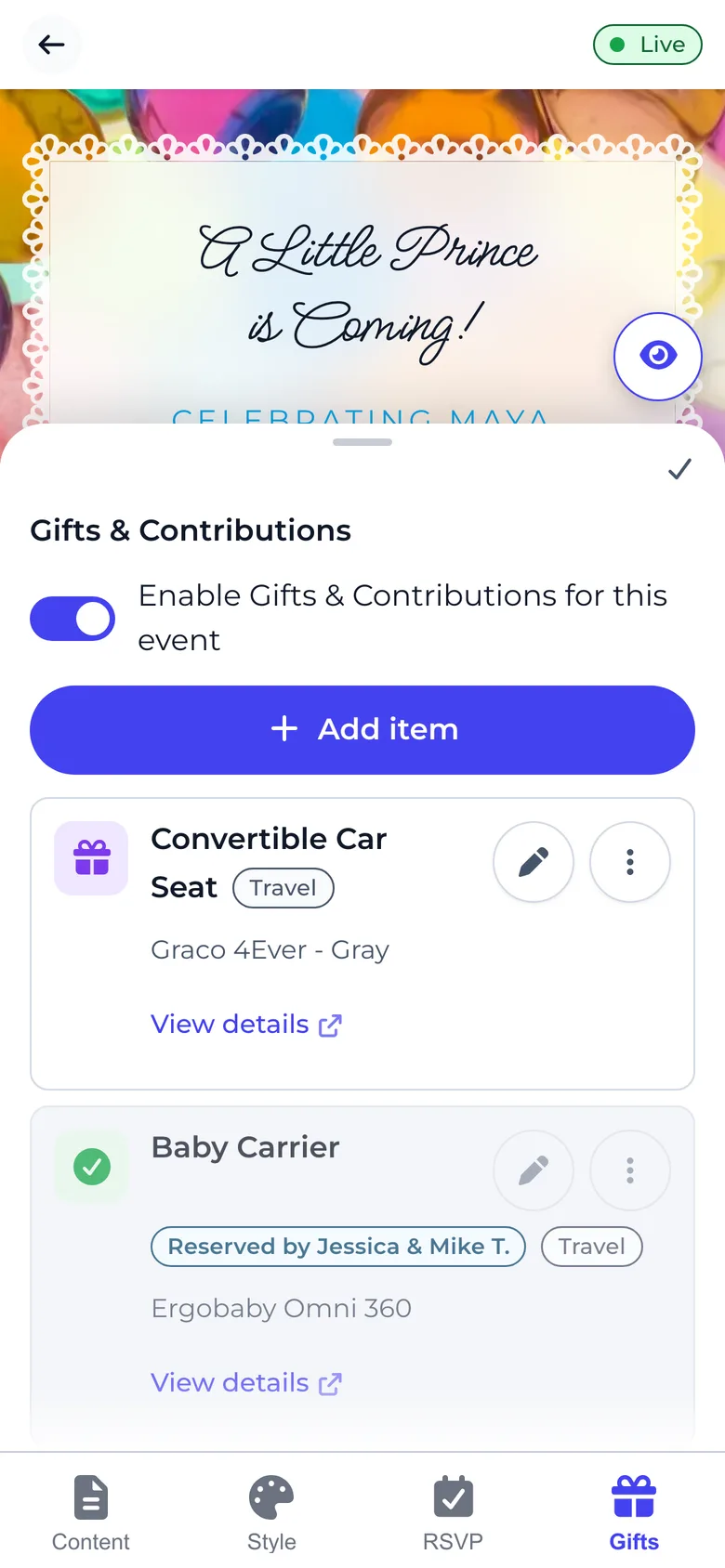
While creating or editing your invite
- Open the "Gifts" tab in the editor.
- Select "Add item", just under the switch that turns the gift list on.
- Type the gift name or paste a link to a shop, then choose "Add and next" to add another or "Done" to finish.
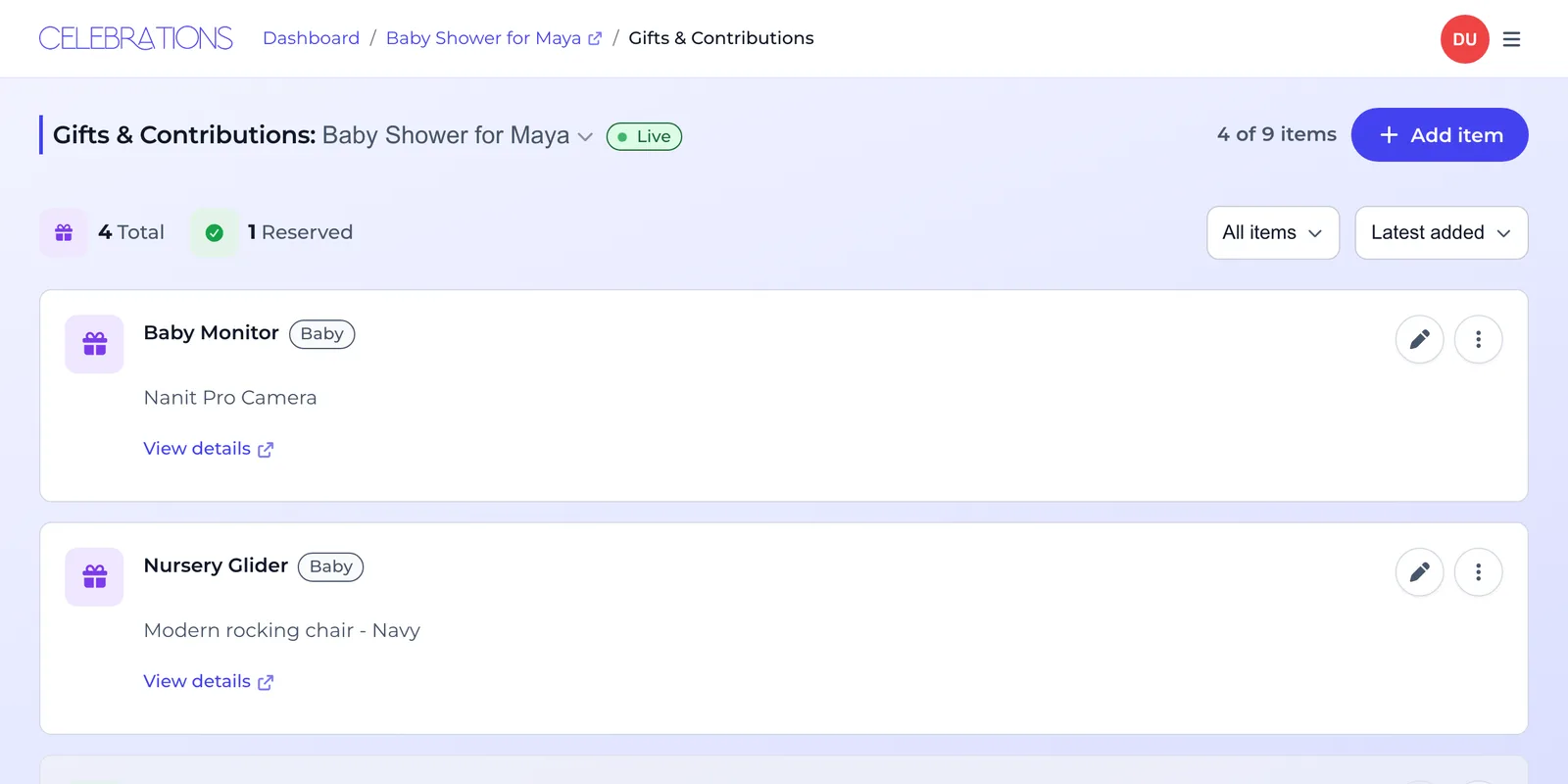
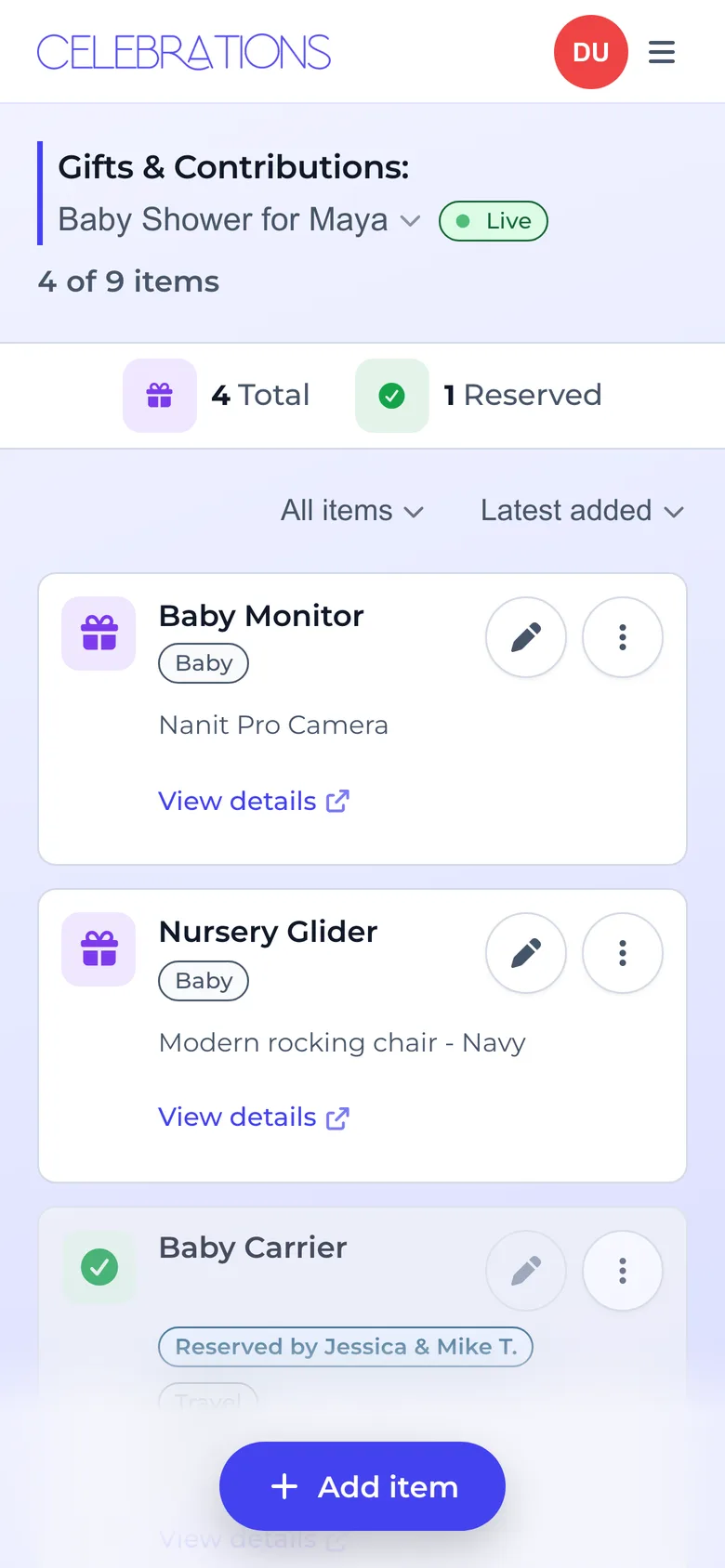
From your dashboard
- Find your event and select the gifts tile on its card.
- Select "Add item". On a computer it sits at the top right of the list. On a phone it floats at the bottom of the screen.
- Add gifts the same way: a name or a shop link, then "Add and next" or "Done".
Absolutely! Choose from beautiful templates, then customize colors, fonts, backgrounds, and styles. You'll see a live preview as you design, so your invite looks exactly how you want it.
Yes! You can update your event details, modify the gift list, or change the design at any time. Changes appear instantly for your guests.