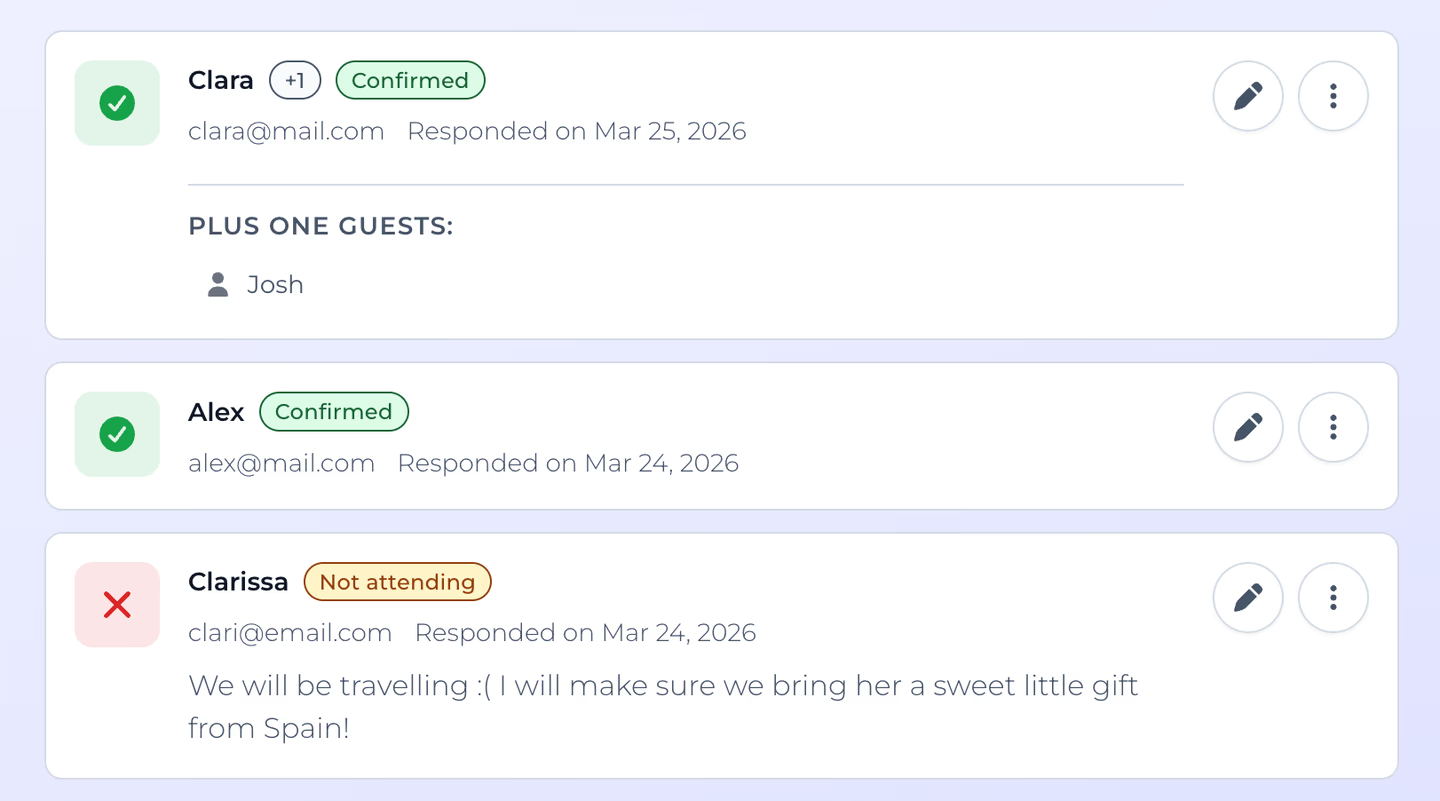
You sent the invite. Now you need to know who’s coming.
So you start a spreadsheet, or a note on your phone, or you just try to remember who said “yes” in the group chat three days ago. Then someone asks “can I bring my partner?” and someone else says “maybe, I’ll let you know,” and suddenly you’re spending more time tracking responses than planning the actual event.
There’s a better way.
The spreadsheet problem
Spreadsheets work fine when everyone replies in one place, at the same time, with clear answers, but that never happens.
What actually happens:
- Responses come from everywhere. WhatsApp, text, email, in person, through your partner, and you have to manually collect and enter each one.
- People change their minds, confirming, then cancelling, then confirming again, and you need to update the spreadsheet every time hoping you don’t miss one.
- Plus-ones are chaos because “I’m bringing two friends” doesn’t fit neatly into a yes/no column.
- You still have to follow up with the half of your guest list that hasn’t responded, messaging each person individually to get an answer.
Spreadsheets work if you have the time for manual data entry, but an online RSVP tool with automated responses and a more intuitive view of your guest list can make your event planning stress-free.
What automatic RSVP tracking looks like
You create a nice digital invite using Celebrations and turn RSVPs on, send it to your guests however you feel most comfortable with, your guests open a link and tap Yes or No (or maybe!), and you instantly see their responses on the event’s dashboard. No more copying and pasting, cross-referencing, or overthinking your guest list management.
Here’s what gets tracked automatically:
- Attendance. Yes, no, or maybe, with clear answers and no ambiguity.
- Plus-ones. Guests indicate how many people they’re bringing, with names, so you get a real headcount instead of a guess.
- Dietary restrictions. Useful for any event with food, where guests fill it in once and you see it all in one list.
- Personal messages. Guests can leave a note with their response, which is nice for context and saves you a separate conversation.
- RSVP deadline. You set a cutoff date, guests see it on the invite, and you know when to stop waiting and finalize your plans.
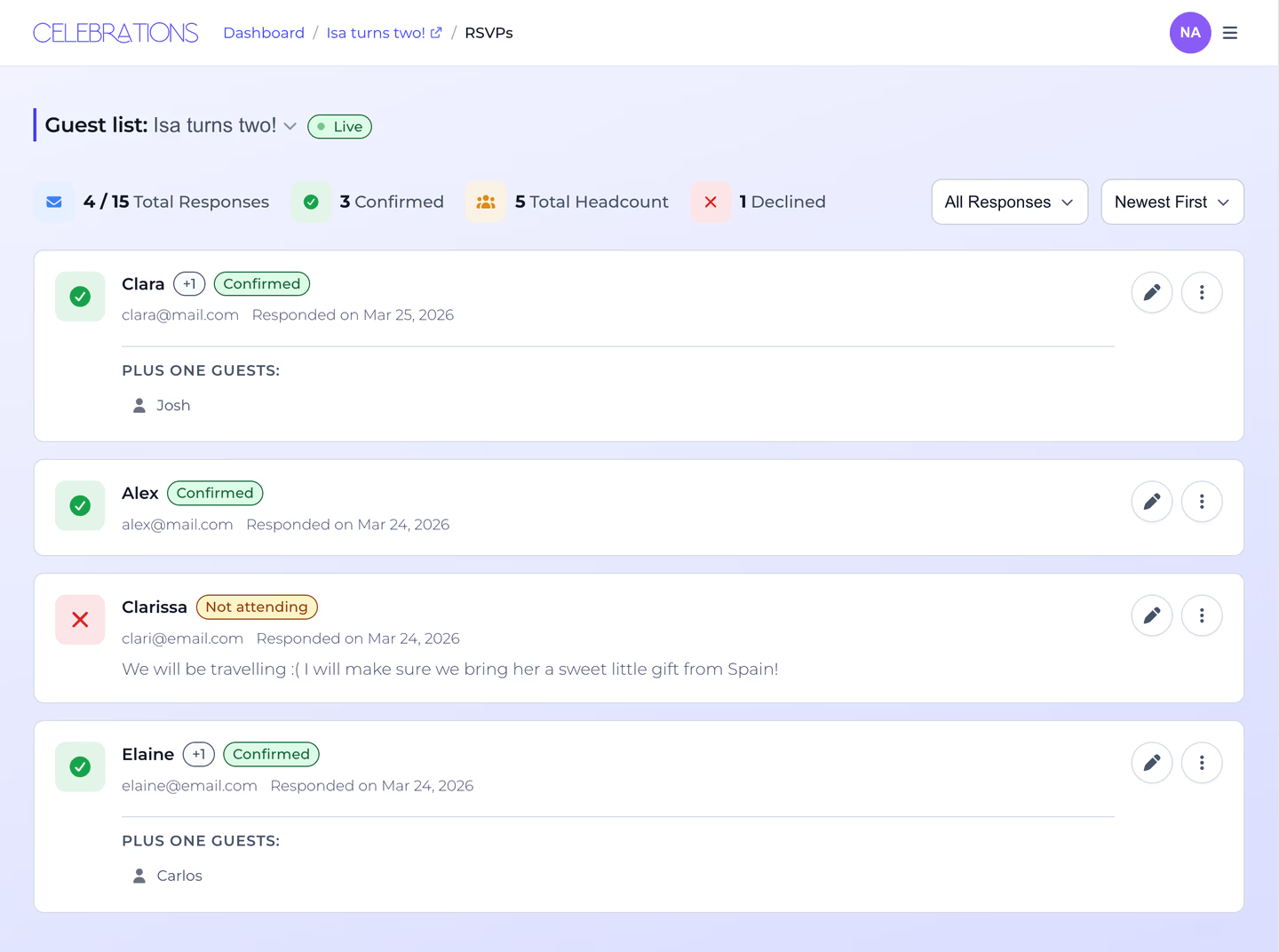
You’re in control
No more scrolling through messages trying to piece together who replied and who didn’t. You see it all on the dashboard: who’s confirmed, who’s declined, and who’s still missing. If someone hasn’t responded, you know exactly who to nudge.
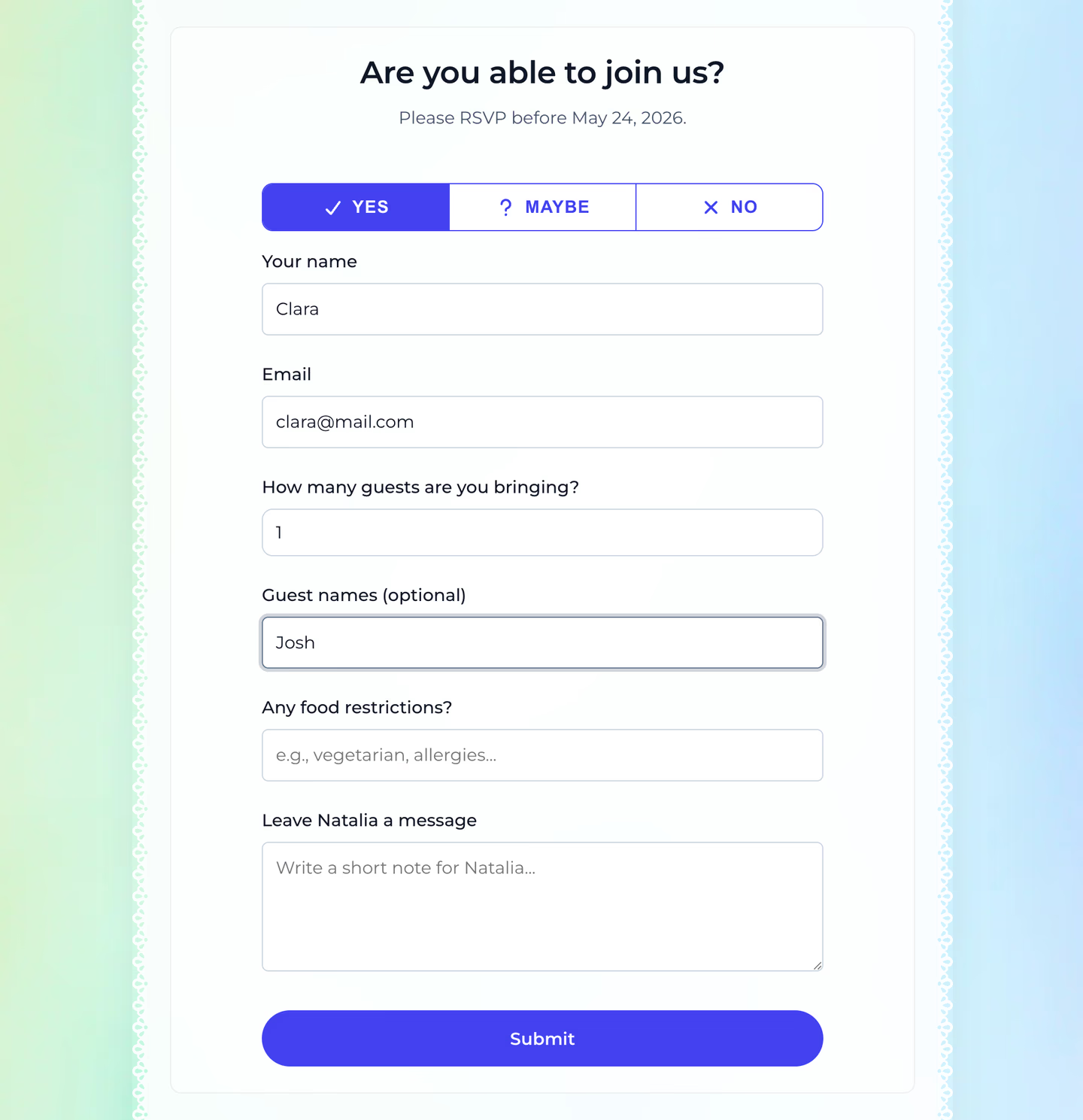
And when guests do respond, you get a clear yes, no, or maybe, with their plus-ones and any details you asked for, all in one place. No more decoding “I think we can make it, let me check with Maria” from a conversation somewhere.
It works for small events too
You don’t need 100 guests to benefit from a digital RSVP. Even a dinner party for 12 people gets messy when you’re tracking responses across text messages.
If you’ve ever had to scroll through a conversation to figure out who’s coming, an RSVP tracker would have saved you time.
How to set it up
If you’re using Celebrations, RSVPs are part of the event editor. You toggle it on, configure what you want to ask, set a deadline, and publish. The RSVP section appears on your invite page automatically, and your guests don’t need an account to respond.
No spreadsheet, no group chat archaeology, no manual data entry.
Collect RSVPs with Celebrations, a free RSVP tool that takes about two minutes to set up.